
Place your ad here - 320x50

USB Encryption 12.5.25
Last update:
Mon, 2 November 2026, 6:00:01 am
Submission date:
Sat, 13 October 2012, 5:00:23 am
Vote for this product
Place your ad here - 728x90
USB Encryption description
Place your ad here - 336x280
Protect Files on One USB Drive with Private and Public Areas
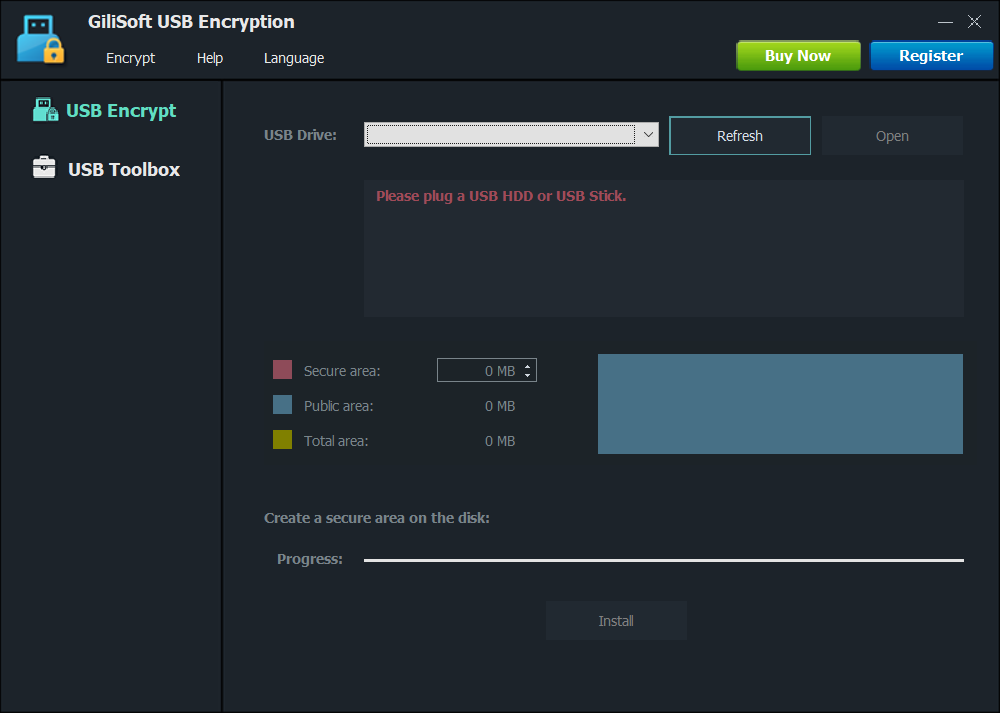
GiliSoft USB Encryption creates a password-protected private area on your USB drive. Keep public files shareable and open private files as a Windows drive. The product page lists these workflows and tools: Protect Files on One USB Drive with Private and Public Areas; Create a Secure Area on a USB Drive; Open the Secure Area with a Password; Public Area and Private Area on One Drive; Open as a Virtual Drive Letter; Read-Only Open Mode; Change Password and Restore the USB Opener; Backup and Manage the Secure Area; Supports Common USB Storage Devices; Protect Any File Stored on USB; Back Up USB Files to a Hard Disk; Reduce Exposure if a USB Drive Is Lost; Choose the Size of Your Private Area; Create a secure USB area; Teams carrying business files; Users sharing removable media; People worried about lost USB drives; Remote and hybrid workers. Refer to the product page for supported formats, usage details, and feature-specific requirements. What's new in this release: Improve USB drive and portable storage protection workflow Place your ad here - 728x15
Tags:
USB Encryption
Protect Files on One USB Drive with Private and Public Areas
Create a Secure Area on a USB Drive
Open the Secure Area with a Password
Public Area and Private Area on One Drive
Open as a Virtual Drive Letter
Read-Only
Comments (1)
FAQs (0)
History
Promote
Author
Analytics
Videos (0)
USB Encryption → Version: 11.5.15
Share this page


• Audio (461)
• Business & Finance (1645) • Desktop Enhancements (95) • Games (280) • Home & Education (649) • Networks & Internet (892) • Multimedia & Design (373) • Software Development (241) • Utilities (4271) • Web Authoring (143) • eBooks (4) • Graphics (392) Translate with Google


Related downloads
• Computer Spy Monitor Keylogger 3.52
Spy Software for monitoring cheating spouse • Spy Monitor Screen Recorder 4.22 computer screen recorder,spy monitor software • Power Spy 12.101 Secretly logs PC & internet use. • Hash Generator 9.0 All-in-one Hash Generator Tool • Asterisk Password Spy 13.0 Windows Asterisk Password Recovery Tool • Ace Secret Disk 8.15 Create secret disk on PC to secure data. • Opera Password Decryptor 7.0 The Opera Password Recovery Tool • Accent EXCEL Password Recovery 25.04 Breaking Excel passwords is as easy as pie! • Accent WORD Password Recovery 25.04 Recover your lost MS Word passwords • IE Password Decryptor 13.0 Internet Explorer Password Recovery Software More >>> Top downloads in this category
1. USB Encryption 12.5.25
Downloads: 863 2. Router Password Kracker 8.0 Downloads: 727 3. 1st Security Center Pro 8.1.1.23 Downloads: 623 4. Truly Random 1.74 Downloads: 621 5. XUS PC Tools Professional Edition 2.0.76 Downloads: 608 6. PDF Decrypter Pro 4.51 Downloads: 603 7. Password Manager Professional 4.0.824 Downloads: 557 8. Windows Password Recovery 16.1.0 Downloads: 535 9. Reset Windows Password 18.1.0 Downloads: 532 10. Cryptainer LE Free Encryption Software 12.2.0.0 Downloads: 516 More >>> |


Contact Us | Submit Software | Link to Us | Terms Of Service | Privacy Policy |
Editor Login
InfraDrive Tufoxy.com | hunt your software everywhere.
© 2008 - 2026 InfraDrive, Inc. All Rights Reserved
InfraDrive Tufoxy.com | hunt your software everywhere.
© 2008 - 2026 InfraDrive, Inc. All Rights Reserved